API keys & permissions
Create a key
- Sign in as a workspace Admin or Owner. Confirm that you are in the workspace the integration should access.
- Open Manage → Settings → API keys and select Create API key.
- Give it a name that identifies the client and environment, choose the permissions it needs, and optionally set an expiry in the future.
- Copy the signed token into your secret manager. The app shows it only once. The key prefix in the list is for identification, not authentication.
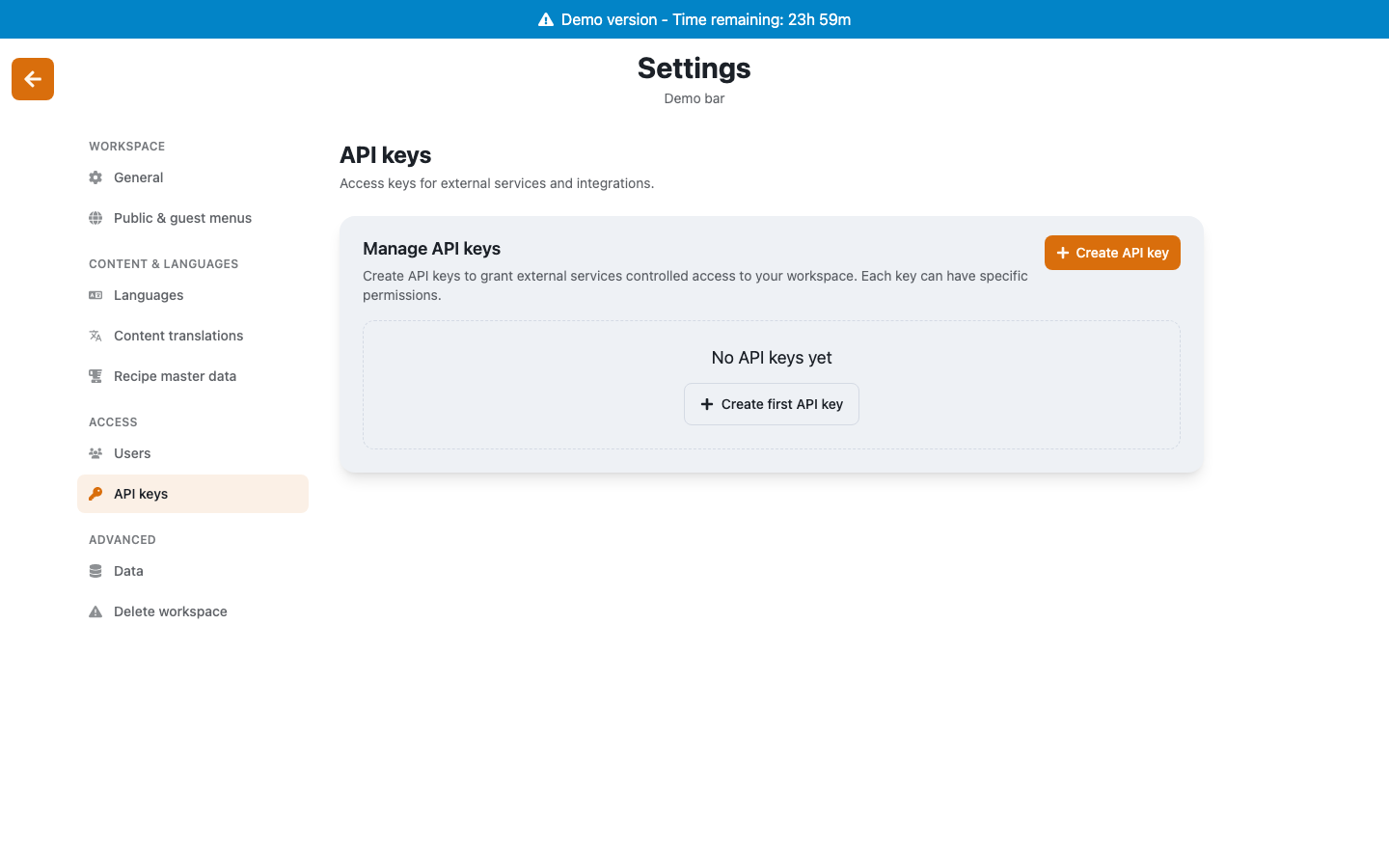
Creating and revoking keys require an Admin or Owner session. Listing or
reading key metadata over the API is different: a workspace key can do that
with WORKSPACE_READ and cannot recover any token from those responses.
Permissions
The app calls scopes permissions. A key gets only the permissions you
select; *_CREATE or *_UPDATE does not imply *_READ. Check the
API Reference for the required permission on each
operation, including any additional checks described there. If the reference
snapshot is older than the deployed app, use the app schema for that release.
For example, importing cocktails uses COCKTAILS_CREATE, and overwriting
existing recipes also requires COCKTAILS_UPDATE. Creating a key for one
workspace does not grant access to other workspaces.
| Area | Permissions |
|---|---|
| Cocktails | COCKTAILS_READ, COCKTAILS_CREATE, COCKTAILS_UPDATE, COCKTAILS_DELETE |
| Ingredients | INGREDIENTS_READ, INGREDIENTS_CREATE, INGREDIENTS_UPDATE, INGREDIENTS_DELETE |
| Garnishes | GARNISHES_READ, GARNISHES_CREATE, GARNISHES_UPDATE, GARNISHES_DELETE |
| Glasses | GLASSES_READ, GLASSES_CREATE, GLASSES_UPDATE, GLASSES_DELETE |
| Units | UNITS_READ, UNITS_UPDATE |
| Queue | QUEUE_READ, QUEUE_CREATE, QUEUE_UPDATE, QUEUE_DELETE |
| Statistics | STATISTICS_READ, STATISTICS_CREATE, STATISTICS_DELETE |
| Cards | CARDS_READ, CARDS_CREATE, CARDS_UPDATE, CARDS_DELETE |
| Calculations | CALCULATIONS_READ, CALCULATIONS_CREATE, CALCULATIONS_UPDATE, CALCULATIONS_DELETE |
| Workspace | WORKSPACE_READ, WORKSPACE_UPDATE |
| Members | USERS_READ, USERS_UPDATE, USERS_DELETE |
| Ice | ICE_READ, ICE_CREATE, ICE_UPDATE, ICE_DELETE |
| Ratings | RATINGS_READ, RATINGS_CREATE, RATINGS_DELETE |
| Monitor | MONITOR_READ, MONITOR_UPDATE |
| Guest menus | GUEST_MENUS_READ, GUEST_MENUS_CREATE, GUEST_MENUS_UPDATE, GUEST_MENUS_DELETE, GUEST_MENUS_PUBLISH |
| Translations | TRANSLATIONS_READ, TRANSLATIONS_UPDATE |
| Tags | TAGS_READ, TAGS_UPDATE |
| Backups | BACKUPS_EXPORT, BACKUPS_IMPORT |
Start with just COCKTAILS_READ to list recipes, fetch their details and
export selected cocktails. Add INGREDIENTS_READ only if the client needs
the separate ingredients resource. Keep backup scopes on dedicated keys:
export reads a broad snapshot, and import writes across multiple resources.
Expiry, rotation and revocation
- An expiry is optional; prefer one and plan a rotation before it passes.
For a routine rotation, create a replacement, test it with
GET /api/v1/meand the required operations, switch the client, then revoke the old key using the delete action in API keys. - If a token is exposed or lost, revoke it and create a replacement. Once the revocation commits, subsequent authentication checks no longer accept the old key. Existing in-flight requests are not undone.
- A key also stops authenticating if its creator no longer holds the Admin or Owner role in that workspace. Plan a handover before offboarding the person who created an automation's key.
Use one key per client and environment so you can revoke it without disrupting other jobs. Do not put keys in a URL, frontend bundle, source file, support ticket, or request log.